
How I connected local AI agents to Entur
I built an MCP prototype using Entur's open APIs, CrewAI, and Llama 3.1 8B through Ollama to plan Norwegian public transport journeys.
August 7, 2025
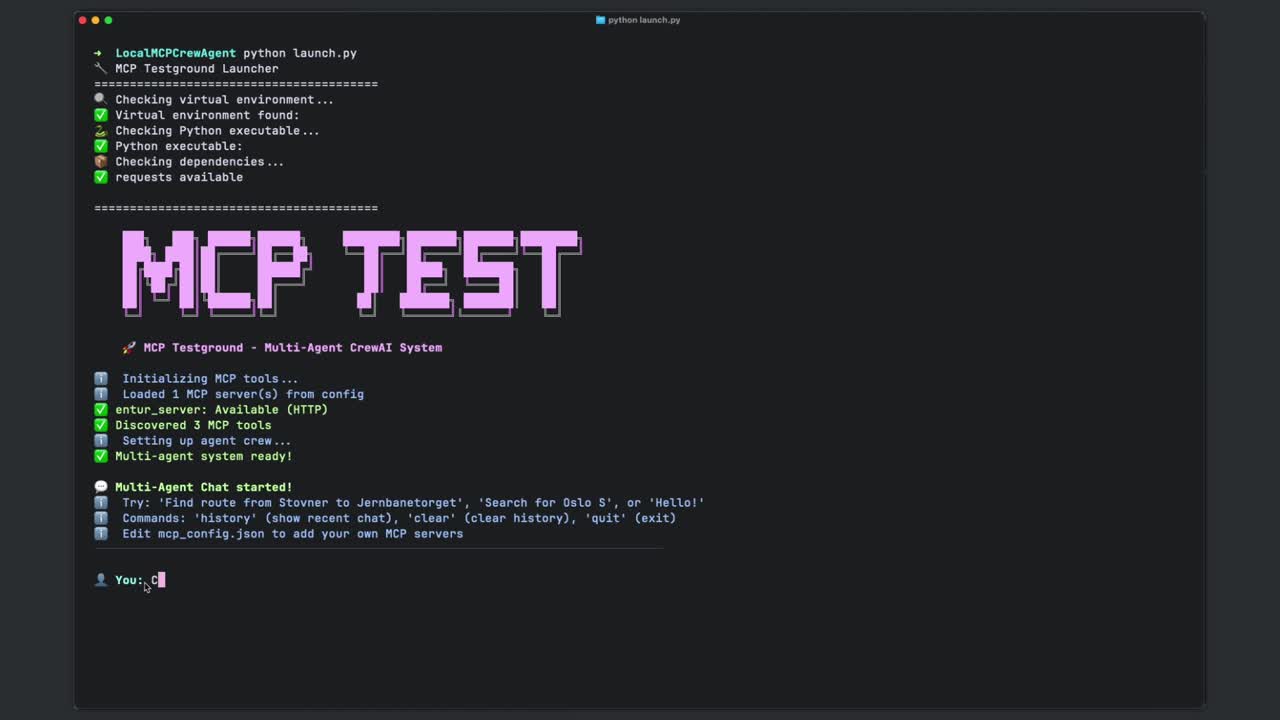
In August 2025, before Entur had official MCP support, I built a prototype on my own machine.
My AI agents could use it to search for stops, check departures, and plan journeys with Norwegian public transport data. The setup used Entur's open APIs, with data from around 60 operators, including Ruter and Vy.
This article looks back at the prototype I shared on LinkedIn on 7 August 2025. Entur now also documents its own Journey Planner MCP; the project below is my personal experiment.
Giving the agents access to travel data
MCP provides a way for an AI application to use external tools and data. In this case, I wanted my agents to get travel information from Entur while running the model locally.
I used two of Entur's APIs (application programming interfaces): Journey Planner v3 for journey planning and departures through GraphQL, and the Geocoder API for place searches through REST (Representational State Transfer).
I exposed three tools through my MCP server:
search_transport_stops: search for transport stops.get_stop_departures: check departures from a stop.plan_public_transport_journey: plan a journey between locations.
That gave the agents a small set of tasks they could request from the server.
Running the model locally
I used CrewAI to coordinate the agents and Ollama to run Meta's Llama 3.1 8B, an LLM (large language model), on my own machine.
The model and agents ran locally. The API calls still went to Entur to fetch travel data. That distinction matters: running the model locally does not mean the whole journey search works offline.
The prototype in action
The recording shows the agents handling a travel request and returning suggestions. It also shows a warning about the destination in the structured response. I would still check the suggested route against the travel data before relying on it.
How this could be used
For example, I could ask an assistant how to get to a meeting across Oslo. It could search for the right stops, check departures, and use the journey tool to suggest a route. The model would run on my machine, with Entur providing the travel information.
